 Configuration Settings
Configuration settings specify the behavior and appearance of certain aspects of Stonefield Query. For example, if you set the Allow Multiple Data Sources setting to True, the user can query on several sets of data for the same application.
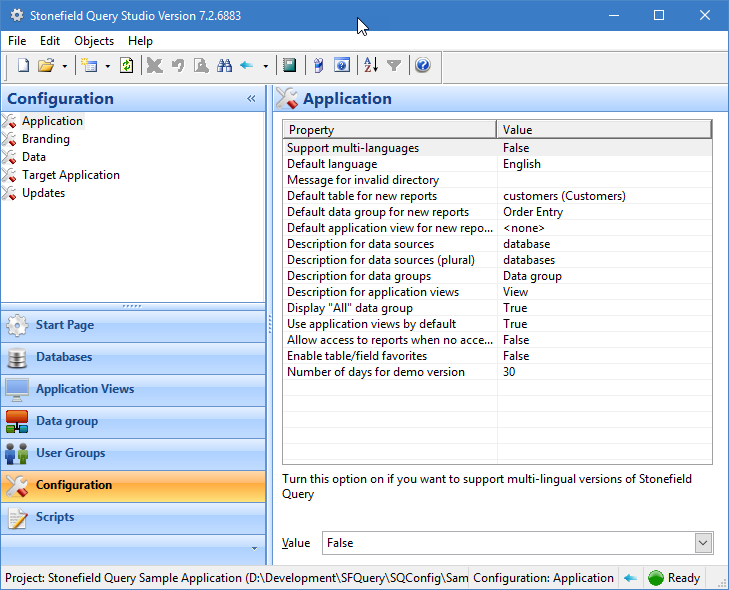
Configuration settings are maintained with the Configuration panel in Stonefield Query Studio. To change the value for a setting, select the appropriate category in the Configuration panel, click the setting you wish to change in the list in the properties pane, and enter the new value in the control at the bottom. Some settings, such as Support Multi-Languages and Default Language, have a pre-defined list of settings you can select from the drop-down list. You can also double-click the setting in the list to toggle the value to the next one listed in the drop-down list.
There are five categories of configuration settings: Application, Branding,Data, Target Application, and Updates.
Many of these settings and categories are only available in the Ultimate version of Studio.
The Application settings are:
The Branding settings are:
The Data settings are:
The Target Application settings are:
The Updates settings are:
© Stonefield Software Inc., 2025 • Updated: 01/04/21
Comment or report problem with topic