 Gradient Editor
The Gradient Editor dialog allows you to select a gradient color for an object.
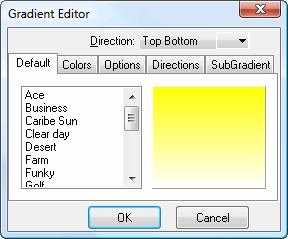
The Direction setting specifies the direction and type of gradient. The Default page of this dialog allows you to choose from a number of pre-defined gradient patterns, such as Ace, Desert, and Golf.
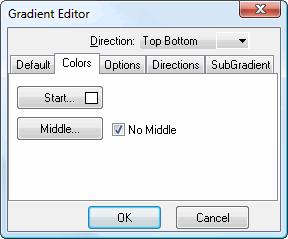
The Colors page has the following options:
Start: click this button to display a dialog in which you can select the starting color for the gradient.
Middle: click this button to display a dialog in which you can select the middle color for the gradient.
No Middle: turn this option on to use three colors in the gradient: start, middle, and end. Turn it off to not use a middle color.
End: click this button, which does not always appear, to display a dialog in which you can select the end color for the gradient. If this button does not appear, the end color is automatically determined by some other color properties of the object the gradient applies to.
Swap: click this button, which does not always appear, to swap the start and end colors.
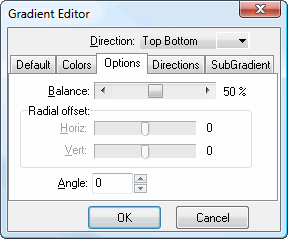
The Options page has the following options:
Balance: this setting determines the balance between the colors when Direction is set to one of the diagonal choices.
Horiz.: this setting, which is only available when Direction is set to Radial, specifies the horizontal offset of the radial gradient.
Vert.: this setting, which is only available when Direction is set to Radial, specifies the vertical offset of the radial gradient.
Angle: this setting specifies the angle of the gradient.
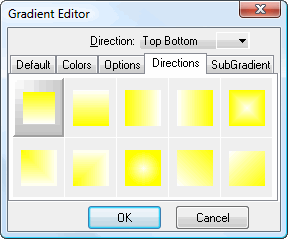
The Directions page has the same settings as the Directions drop-down list but in a visual format.
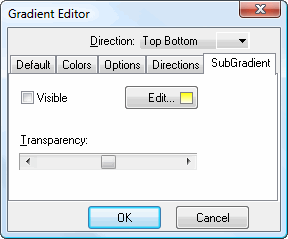
The SubGradient page allows you to define a subgradient for the gradient. It has the following options:
Visible: turn this on to use a subgradient.
Edit: click this button to another instance of the Gradient Editor, this time for the subgradient.
Transparency: this setting controls the transparency of the subgradient.
© Stonefield Software Inc., 2023 • Updated: 06/07/16
Comment or report problem with topic