 Lesson 2: Running a Report
Let's run the Orders Listing report you created in the previous tutorial. To do that, select it in the Reports Explorer, then click the Preview button in the toolbar or in the Home tab of the ribbon. It looks just as it did when you created it. However, what if we don't want every item printed? Say we only want items in a certain date range. Restricting which records appear is called filtering. The Filter page of the Reports Explorer is used for filtering, so click the tab for that page. Click the Filter button to display the Filter dialog. Currently, there are no filter conditions so the list of conditions shown in this dialog is blank. Click the Add button to add a condition to the list. The Filter Condition dialog shown below appears.
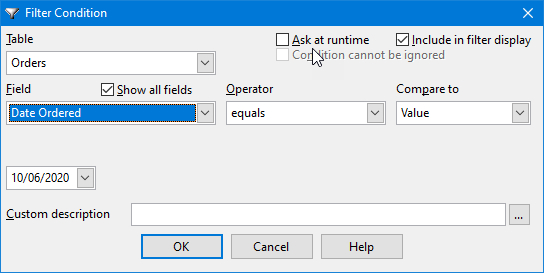
We want to filter on date, so select "Orders" from the Table list and "Order Date" from the Field list. Since we want a date range, select "is between" from the Operator list. Type the desired date range in the value boxes or click the down arrow beside the boxes to select the dates from a calendar. Click the OK button to close the Filter Condition dialog and your condition appears in the Filter dialog. Although you can add other conditions, let's just click the OK button in the Filter dialog for now.
Now click the Preview button again. If there are any entries that match your conditions, the report displays only those entries. If there aren't any entries (for example, if you specified a date range for which there are no records), a message displays telling you that.
© Stonefield Software Inc., 2023 • Updated: 01/20/21
Comment or report problem with topic